Feature
Groups and multi-country: your real structure, in software
A fleet is never one flat list. RideControl models countries, hubs, fleets and client accounts as a nested tree, with expected vehicle counts per node and permissions that follow the same shape.
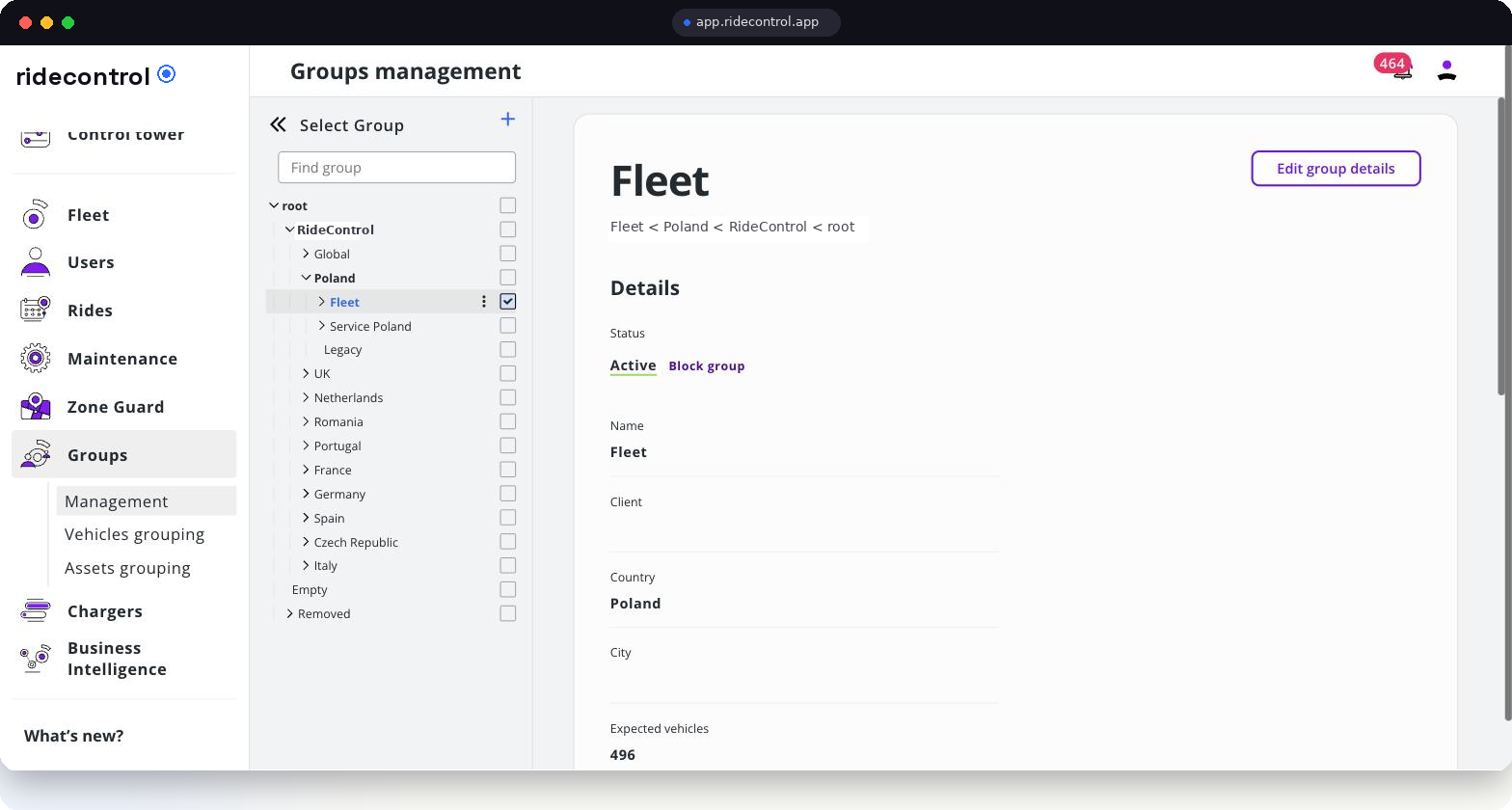
Fleet structure
Countries · hubs · clients
What groups do
- Nest countries, cities, hubs, fleets and client accounts in one tree.
- Set an expected vehicle count per node, so gaps between plan and reality are visible.
- Scope users to a node: a hub lead sees the hub, a country manager sees the country.
- Scope vehicles, assets, zones and service requests to the same nodes.
- Roll numbers up the tree for reporting without re-tagging anything.
How it works
Step 1
Draw the tree
Create country nodes, then hubs beneath them, then fleets or client accounts where you need them.
Step 2
Place the fleet
Vehicles, batteries and keyfobs are assigned to the node that actually holds them.
Step 3
Assign people
Each user gets a role scoped to a node; access to everything below follows automatically.
Step 4
Operate per node
Zones, service requests and alerts stay inside the node, so hubs are not flooded with each other's noise.
Step 5
Report up
Dashboards aggregate from vehicle to hub to country without extra work.
Who uses it
| Role | What they use it for |
|---|---|
| Headquarters | Comparing countries and hubs on one screen |
| Country manager | Vehicle distribution and availability inside one market |
| Hub lead | Running one hub without seeing other hubs' work |
| Partner staff | Access limited to a single client account |
Data you get out
- Vehicle counts per node against the expected count.
- Utilisation, downtime and service volume aggregated per hub, fleet and country.
- User and permission list per node for access reviews.
- CSV export and API access at any level of the tree.
Related modules
User management assigns the roles, Zone Guard attaches zones to nodes, and BI dashboards read the tree to produce per-country reporting. Operators run this structure across 7 European countries today.
Frequently asked questions
Related
See it on your own fleet
Book a 30-minute walkthrough. We open the panel with your vehicle types, hubs and countries in mind — no slides.
Book a demo