Feature
Zone Guard: geofencing that catches theft and off-shift use
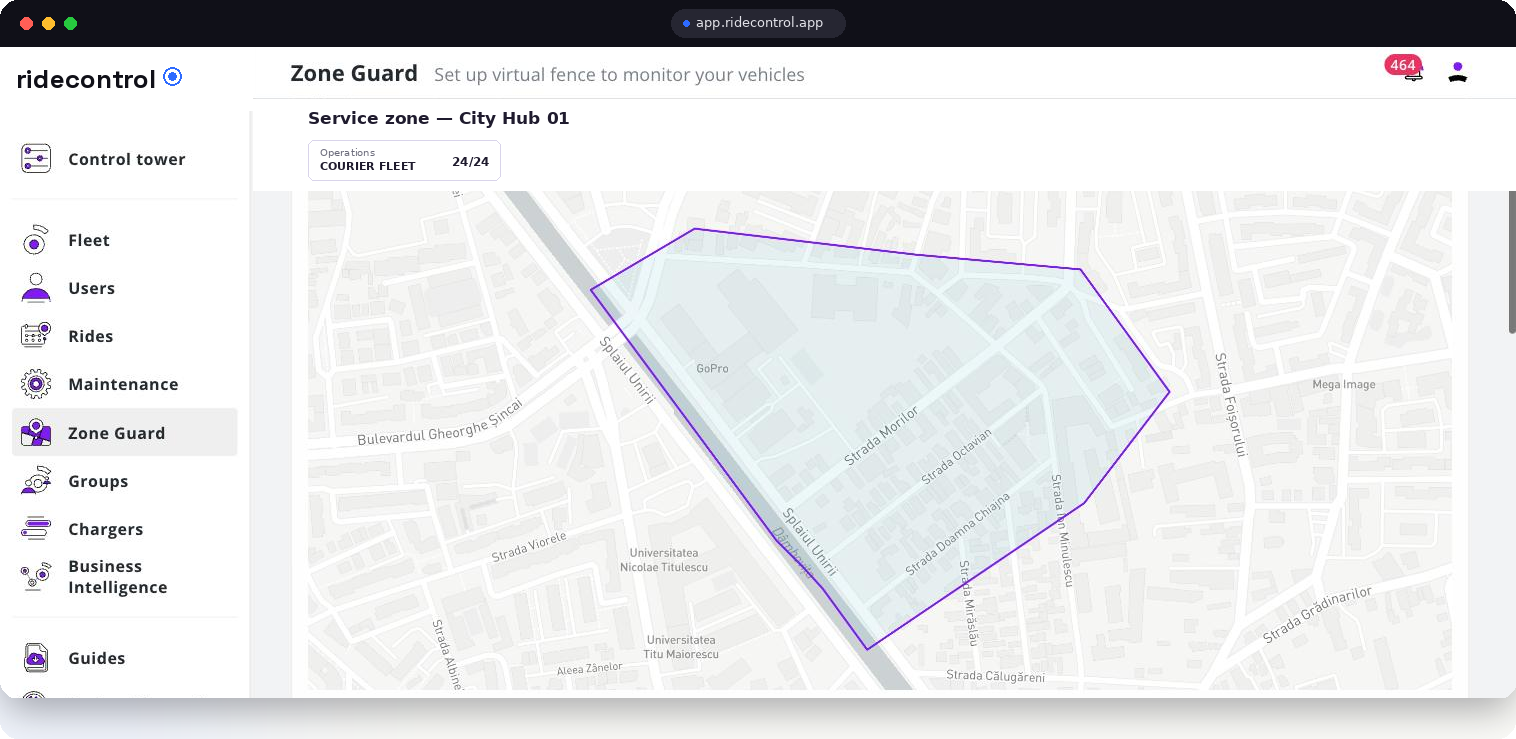
Vehicles leave the city, disappear over a weekend, or quietly do a second job. Zone Guard puts a virtual fence around every hub, dark store and delivery area, and raises an alert the moment a vehicle crosses it.
Vehicles inside
12 · Warsaw Hub
What Zone Guard does
- Draw polygons around hubs, dark stores, client sites and whole delivery zones.
- See at a glance how many vehicles are inside each zone right now.
- Every exit raises an alert with the time, the vehicle and the courier who had it.
- Zones are attached to groups, so each hub manages its own fences.
- Exit history stays on record, which is what turns a suspicion into a conversation with evidence.
How it works
Step 1
Draw the zone
Trace the area on the map — a hub yard, a dark store catchment or an entire city district — and name it.
Step 2
Attach it to a group
The zone belongs to a hub, fleet or country node, so the right people see it and the right people get alerted.
Step 3
Vehicles are matched continuously
Position updates are matched against zone boundaries, so the inside-count is always current.
Step 4
Exits raise alerts
A crossing produces an event on Control Tower with vehicle, courier and timestamp.
Step 5
You follow up
Open the vehicle, check the trip that led out of the zone, and act — a call, a keyfob block, or a report.
Who uses it
| Role | What they use it for |
|---|---|
| Hub lead | Knowing which vehicles are on site before a shift starts |
| Operations manager | Off-shift use and vehicles drifting outside the delivery area |
| Fleet owner | Recovering vehicles and documenting incidents |
| Client account manager | Proving vehicles stayed within a contracted service area |
Data you get out
- Zone list with current vehicle counts, exportable to CSV.
- Exit events with vehicle, courier, zone and timestamp.
- Webhooks on zone exit, so your own systems can react automatically.
- Trip data behind every exit, from the ride analytics module.
Related modules
Zone Guard alerts appear on Control Tower, keyfobs let you block access to a vehicle that should not be moving, and ride analytics shows the trip that produced the exit.
Frequently asked questions
Related
See it on your own fleet
Book a 30-minute walkthrough. We open the panel with your vehicle types, hubs and countries in mind — no slides.
Book a demo