Feature
Ride analytics: every delivery trip, measured
Mileage is the cost driver of a delivery fleet, and it is invisible in a spreadsheet. RideControl logs every trip with distance, duration, route and vehicle, so couriers, hubs and weeks can be compared on the same basis.
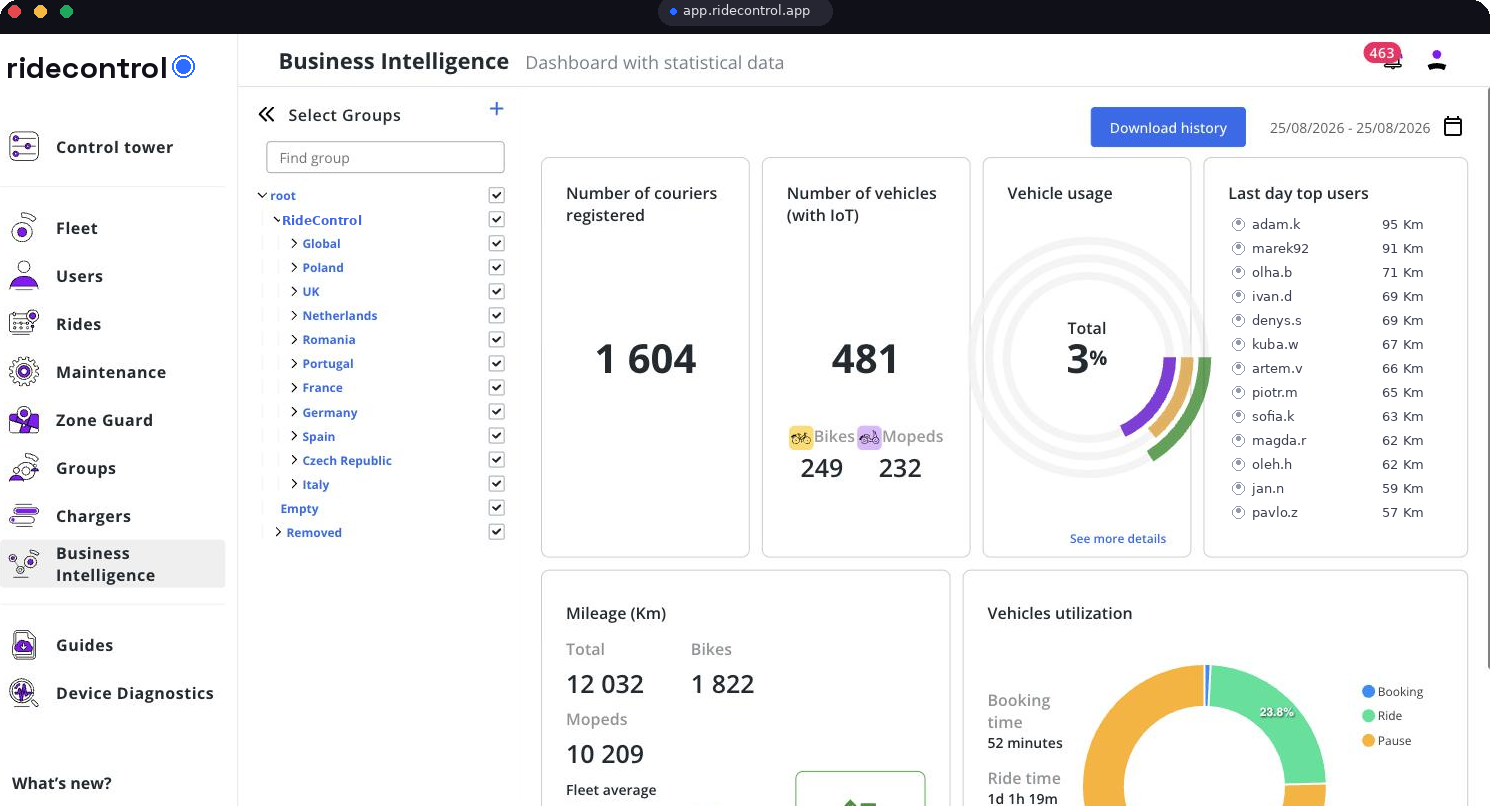
This week
Trips · distance · utilisation
What ride analytics does
- Logs each trip automatically: start, end, distance, duration and route.
- Attaches the trip to a vehicle, a courier and a hub.
- Compares couriers and hubs over the same period instead of anecdotally.
- Shows week-on-week change so a drop is caught while it still matters.
- Feeds mileage into service intervals and cost per vehicle.
How it works
Step 1
Telemetry arrives
Position and movement data from the vehicle's IoT unit streams in continuously.
Step 2
Trips are reconstructed
Movement is segmented into trips with start, end, distance and duration.
Step 3
Ownership is attached
Each trip is tied to the vehicle and the courier holding it during that shift.
Step 4
Aggregates are built
Trips roll up per courier, hub, fleet and country using the group tree.
Step 5
You compare
Filter by week, hub or courier, and export the underlying trips for your own analysis.
Who uses it
| Role | What they use it for |
|---|---|
| Operations manager | Utilisation per vehicle and mileage per hub |
| Hub lead | Which vehicles are underused and which are hammered |
| Workshop lead | Mileage-based service intervals |
| Finance | Cost per vehicle and cost per delivered kilometre |
Data you get out
- Trip-level export: vehicle, courier, hub, distance, duration and timestamps.
- Weekly utilisation and mileage per vehicle and per hub.
- Route history behind any incident or zone exit.
- API access for delivery platforms and BI tools.
Related modules
Control Tower shows what is happening now, ride analytics shows what happened, and BI dashboards turn both into cost per vehicle. Zone Guard exits link straight into the trip that caused them.
Frequently asked questions
Related
See it on your own fleet
Book a 30-minute walkthrough. We open the panel with your vehicle types, hubs and countries in mind — no slides.
Book a demo